Reports and Documents
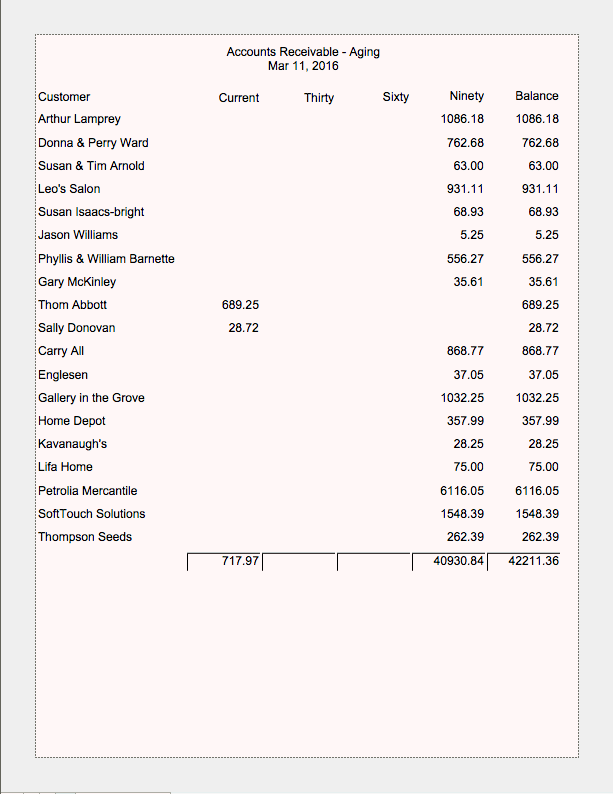
Accounts Receivable Report by Customer
All Invoices with a balance owing are included in this Accounts Receivable by Customer report.
Information is listed by customer name showing 30, 60 and 90 summary subtotals.
Print this screen as a report or print or email individual statements.
How to Print an Accounts Receivable Report by Customer
As a Full Report
Go to Invoices > Accounts Receivable Report side bar button.
A dialog box appears asking to select report by Aging or by Invoices.Choose Aging.
The Accounts Receivable by Aging screen appears.Click Print for screen report.
Click Done.
As Individual Customer Balances
Go to Invoices > Accounts Receivable Report side bar button.
A dialog box appears asking to select report by Aging or by Invoices.Choose Aging.
Find the customer’s name in the list and click Email or Print.